Google business verification in the UK: every method
Google business verification in the UK explained: the methods Google offers, why you cannot choose one, how long each takes and what to do when it fails.
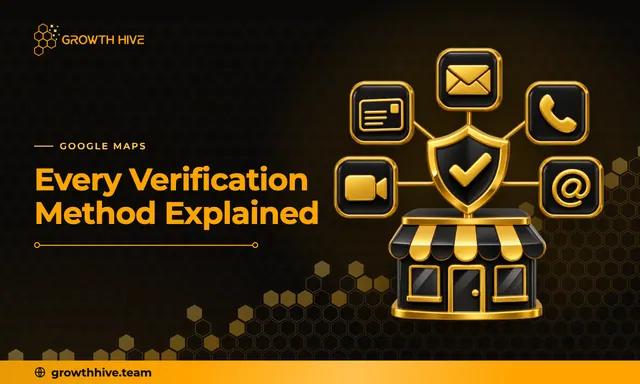
To verify your business on Google, open your Business Profile, select Get verified and complete the method Google offers you. Google chooses that method itself, from phone or text, email, live video call, postcard or a short video recording, and says its review takes up to five working days. What you can control is how ready you are: the right address set-up, a name that matches your signage, and proof that the business is real.
Everything below was checked against Google’s Verify your business on Google help page and its linked pages on 14 November 2026. Google changes the verification flow from time to time, so if your screen looks different, go by what it shows you.
Why Google asks you to verify, and what a verified profile can do
Google’s help centre says only verified businesses can show their business information on Maps and Search. Verification is also what gives you ownership of the profile: Google says you need it to edit details such as your business name or opening hours, and to interact with customers through the profile.
Before you verify, you can still edit some details, but Google’s policy overview warns that it may reject content added to unverified profiles. In practice, verification is the step that turns a listing you created into one you control.
If you would rather not manage the profile yourself once it is live, our Google Business Profile management service covers updates, reviews and photos month to month.
The methods: video recording, live video call, phone or text, email, postcard, instant verification
| Method | How it works | Points to watch |
|---|---|---|
| Video recording | You record one continuous video on your phone through your profile | At least 30 seconds, unedited, captured live. Google recommends it if you are eligible |
| Live video call | A Google support representative watches while you show the business on camera | Only during your location’s opening hours, and you must be at the business |
| Phone or text | Google calls or texts a code to the business number | Automated phone menus (IVR) will not receive the code |
| Google sends a message to an address you can open during verification | Follow the steps in the email | |
| Postcard | Google posts a five-digit code to your business address | Most codes arrive within 14 days and expire after 30 days |
| Instant | Some profiles are verified straight away | For example, where you have verified your website in Search Console, or through bulk verification |
Two methods need the most preparation. For a video recording, Google asks you to show where the business is, that it exists, and that you manage it, in one take. Our video verification shot list sets out what to film for a shop front and for a business that visits customers. For a postcard, the main risk is cancelling your own code; the postcard verification guide covers what to do if it never arrives.
Bulk verification is for chains. Google says it is available if you have 10 or more locations of the same business, and that agencies with more than one business in one account cannot bulk verify.
Why you cannot pick your method: what Google says decides your options
Google says verification methods are determined automatically and cannot be changed. The options depend on your business type, public information, region or opening hours, and some businesses need to verify with more than one method.
That is why two businesses on the same street can see different options. A café with a sign above the door and public opening hours is a different case from a sole trader who works from home, even if both signed up on the same day.
If the screen offers you nothing at all, the cause is usually one of a short list: the wrong Google Account, a profile someone else already owns, an ineligible address, or a duplicate. Our guide on what to do when there is no verification option takes you through each check.
How long verification takes, as Google states it today
- The review. Google says verification reviews take up to five working days once you have finished the steps, and rarely longer. You get a confirmation email when you are verified.
- Postcard. Most codes arrive within 14 days, and codes expire after 30 days. The five working days start after you enter the code.
- Video recording. Google says the review can take up to five working days.
- Live video call. The call itself happens during your opening hours, with a representative.
- After verification. Google says new businesses can take up to a month to appear in search rankings, and that edits usually take up to 10 minutes to review but sometimes up to 30 days.
You can follow progress with Google’s verification status checker. If the Get verified button comes back on your profile, Google says it could not completely verify the business.
UK cases: home-based businesses, sole traders, service-area businesses and proof of business
Home-based and service-area businesses. If customers do not come to your address, Google says to hide the address and list your service area instead. You can add up to 20 service areas, and Google says the overall area should not usually stretch further than about two hours’ driving time from your base. Google’s address help asks for an address it can find, and lets you place a pin on the map if it cannot find yours. Turning off “Show business address to customers” only changes what customers see.
For a video, Google asks a service-area business to film street signs or landmarks at the business address, the tools or equipment used for the work, and proof of management, such as opening a van with your business branding or showing an invoice, business permit or utility bill that matches the profile name.
Sole traders. A sole trader has no Companies House record, because Companies House registers companies. GOV.UK says sole traders must include their own name and business name, if they have one, on official paperwork such as invoices and letters. Documents that show both make the link between you and the business name clearer. The sole trader documents guide lists what tends to be available.
Shared and virtual offices. Google’s guidelines say virtual offices are not eligible. A co-working space only counts if it has clear signage, receives customers during opening hours and is staffed by your business during those hours.
Proof of business. Google does not publish a UK document list. On its appeal pages it names business registration, a business licence, tax certificates and utility bills, with the name and address matching the profile. For a limited company, the Companies House certificate of incorporation is the official registration. Keep bank account, tax and ID numbers out of any video: Google’s rules say a verification video must not include them.
When verification fails or no option appears: the next step for each case
- “Get verified” appears again. Google says it could not completely verify the business. Try again, or use another method if your profile shows more than one.
- A video was not accepted. Tap Review issues, fix what Google lists, and record a new video that includes everything from the first one plus the missing parts.
- The postcard has not arrived. Wait the 14 days Google mentions before asking again, because a new request invalidates the code already in the post.
- The code does not work. Check it is from the latest postcard, that it is under 30 days old, and that you have not edited the name, address or category since you requested it.
- Someone else already manages the profile. Select Request access; Google says the current owner has three days to respond. Claiming an existing listing is covered in how to add your business to Google and Google Maps.
- Nothing works. Google says that if you are still unable to verify, contact support through the Business Profile Help contact page. Its video verification page adds that support finds it easier to help once you have tried the methods available to you.
Whatever happens, never share your code. Google says it will never ask for your verification code, and that you should not share it even with people who manage your profile.
If you want help, Google Maps Rescue takes on cases where you cannot verify Google Business through Google’s own process. You pay nothing until Google confirms the profile is verified, then £149 a month as a membership with one case a month included, or £249 for a single case. We never ask for your password. Growth Hive is independent and not affiliated with Google, and Google makes the decision.
Re-verification after edits, and how to avoid triggering it
Verification is not always permanent. Google’s editing help says:
- if you move your business to a new address after it is verified, you must verify again
- if you change your business name after it is verified, you might need to verify again
- if you are asked for more information to re-verify, it is likely because business details were recently updated
To keep re-verification to a minimum:
- Use your real-world name from day one, exactly as it appears on your signage and invoices, so there is nothing to correct later.
- Decide once whether customers visit you, and set up the address or service area to match.
- Make changes in one batch and wait for them to show as accepted before you make more.
- While a postcard is on its way, do not touch the name, address or category.
If your profile is verified but customers still cannot find it, the cause lies elsewhere. Our article on why a Google Business Profile is not showing up works through the other possibilities.
Next step
Answer two or three questions in our free listing check to get the official next steps for your verification problem. Once you are verified, our Google Business Profile service can keep the listing accurate and active.
Frequently asked questions
How do I verify my business on Google?
Go to your Business Profile, select Get verified and complete the method Google offers: phone or text, email, live video call, postcard or a video recording. Google chooses the methods automatically from your business type, public information, region and opening hours, and you cannot change them.
How long does Google business verification take?
Google says its review takes up to five working days once you have completed the steps, and rarely longer. A postcard adds the wait for the post: Google says most codes arrive within 14 days and that codes expire after 30 days.
Why is video verification not working?
Google tells you why a video was not accepted. Tap Review issues on your profile, then record a new video that shows everything from the first one plus what was missing. The video must be one unedited take of at least 30 seconds, captured live through your profile on a mobile device.